How a check-in works
Your client gets a text, records one short video, and you decide. Here is each side, step by step.
What your client does
- Gets a text. It names the due time in their time zone and the preparation steps for their device. For the BACtrack C8 that means waiting 20 minutes after eating, drinking, or smoking.
- Opens the link. It works in Safari or Chrome. Before the camera opens, the page says the video is private and will be reviewed by their coach and an AI model.
- Says three fresh words. They're random and tied to this attempt, so an old video won't pass.
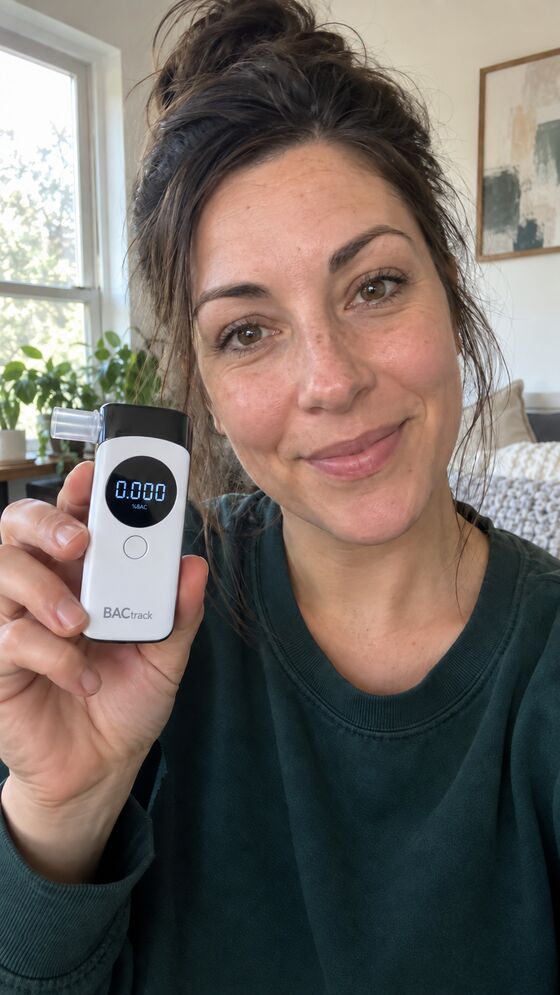
- Records one take. Words, breath sample, and the final reading, with face and device in view. A retake is a new attempt; the earlier one is kept.
- Gets a reply. Daylight texts back the moment the video arrives, and again once it's saved.
No app to install. A client can also reply to the text with a video from their camera roll, and replying STOP pauses all requests.
Daylight: it’s time for a check-in. Due by 4:00 PM.
Messages · 4:00 PMWhat you see
- A test list with missed tests and tests that need you at the top.
- The video, with marks at the moments that matter: words heard, breath sample, final screen.
- The reading as displayed. 0.001 is recorded as 0.001, never rounded to zero.
- An editing check that looks for signs of cuts, frozen frames, or repeated footage. It can flag a video for you; it never fails a test.
- Your decision: cleared, not cleared, or inconclusive, with a note. Only your saved decision can send a result to anyone.
- Spoken words, issued 07:51
- harbor · quilt · seventeen
- Reading on the device
- 0.000 %BAC
- Device
- BACtrack C8, standalone mode
- 0:04Words heard: harbor, quilt, seventeen. Face visible.
- 0:19Breath sample. Device in frame.
- 0:41Final screen readable: 0.000.
- —Editing check: no indicators detected.
Example data. Not a real client.
Schedules and alerts
Send a test any time, or set a schedule per client: a fixed time or a random moment inside a window, on the weekdays you choose, in the client's time zone. Drug screens can run on random weekly or monthly plans.
Requests, reminders, receipts, storage, and AI observations run without you. Decisions wait for you.
| Event | Who can be told |
|---|---|
| Missed test | Anyone you list, by text or email |
| Video submitted | Once per test, including late ones |
| Cleared or not cleared | Only after you save a decision |
| Missed tests in a row | Once, when a streak reaches the number you set (2 to 10) |
Alerts never include the client's name or a reading.
Any breathalyzer with a screen
Clients can use the device they have. The BACtrack C8 in standalone mode is the reference device: Daylight reads its screen automatically. Other screens are shown to you to read yourself.
Daylight also records oral-fluid drug screens. People review those; no panel is read automatically.
Start with one client.
Create an account, add a client, and walk through the first check-in together on a call. The guided setup never sends a message you haven’t seen.